


WebTextEditor provides built-in professional styles when working with editor in Design view. For example, tables and image frame will be properly formatted to make the document more readable.
In addition, WebTextEditor also provides flexibility to add custom CSS files to WebTextEditor. The CSS files collection can be added in RootTextEditor >> CssFiles property, however when multiple section is enabled, the CSS files collection needs to be added in each section using [each WebTextEditorSection] >> CssFiles property.
In CSS file object, the following properties needs to be specified:
- FilePath
Specifies the path of CSS file.
- Type
Specifies the type of CSS file.
There are two types supported in WebTextEditor: DesignerStyleSheet and RuntimeStyleSheet. Designer-typed CSS files will be loaded when editing the content in Design view, while runtime-typed CSS files will be used when previewing or printing the content.
When WebTextEditor is used in blog application or other content management application, usually there are certain format and styles that need to be applied for consistency purpose. Designer-typed styles used in WebTextEditor will not be used when the content is saved, previewed, and printing, making it suitable for this scenario. Instead, the runtime-typed styles will be automatically applied to the content.
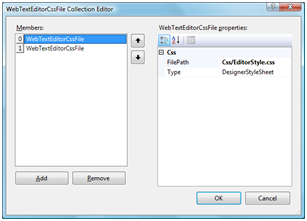 Designer-typed style |
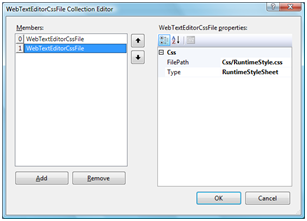 Runtime-typed style |
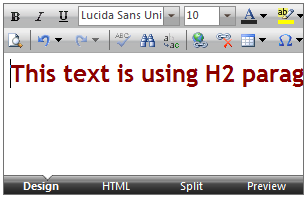 Designer-type style used in Design view |
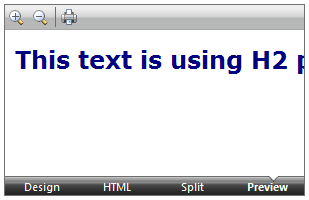 Runtime-typed style used in Preview |
In This Section
How-to: Load Custom CSS File in WebTextEditor